Download CRIF Highmark Credit Report Online

Your credit profile isn't sitting in just one place, CRIF High Mark is one of the four bureaus that lenders in India rely on, and getting your report from them is a genuinely useful step in understanding your overall financial standing. The platform runs on a structured, verification-heavy process, right from registration through to the final download, all built to make sure your identity matches correctly and your financial data reaches you securely.
Here's exactly what that process looks like, step by step.
Step 1: Visit the CRIF High Mark Website
Start at the official CRIF Highmark website. On the homepage, you'll find an option that says "Get Free Score Now." Click it to begin.

Nothing personal is asked for at this stage yet, this button simply routes you into the registration flow.
Step 2: Register and Provide Your Identity Details
To move forward with getting your report, you'll need to create an account by submitting a few details. This is essential, since it's exactly what the bureau uses to locate your actual financial records.
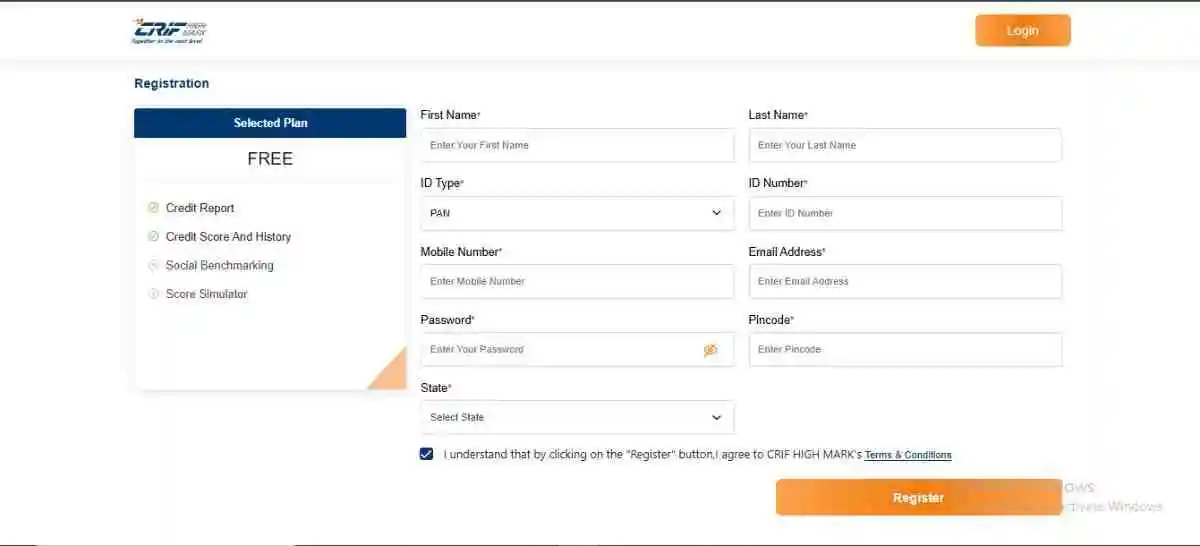
You'll be asked to enter:
- Full Name
- PAN (Permanent Account Number)
- Mobile Number
- Email Address
- Password
- Pincode and State
Of all these, PAN carries the most weight, double-check it before submitting, since it's essentially your primary key for pulling up your credit data, and a typo here causes more downstream trouble than any other field on this form.
Before continuing, accept the terms and conditions, since this is what authorises the platform to access your credit information from the bureau. Once that's done, click "Register."
Step 3: OTP Verification
After registering, you'll get a One-Time Password sent to your mobile number or email. Enter it within the given window.
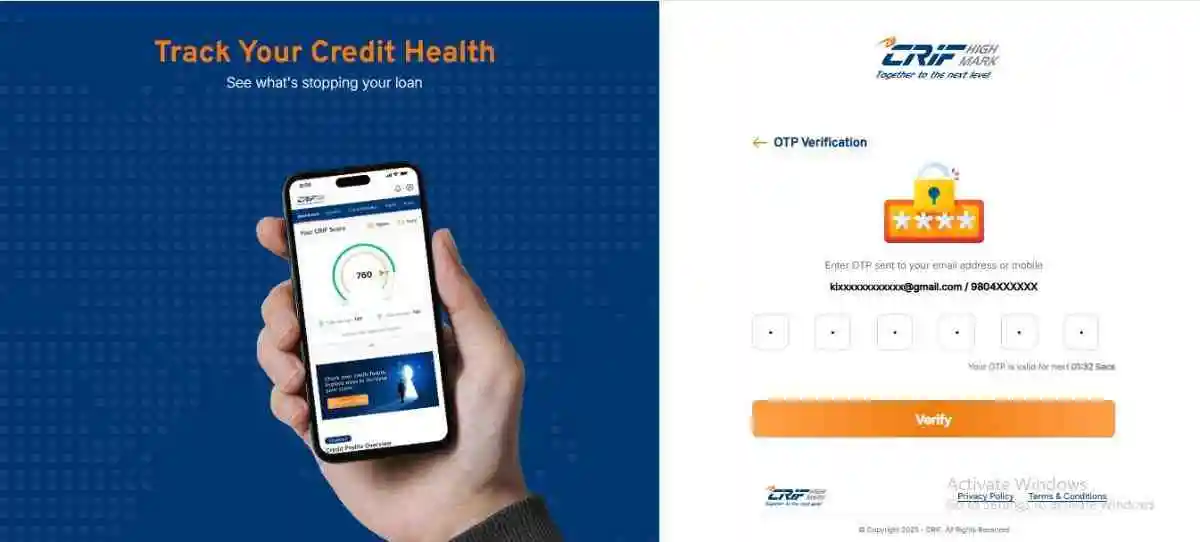
This step really just confirms that the contact details you gave genuinely belong to you, that the request is a real one, and that nobody else can get into your account without that same OTP.
Once verification goes through, you're good to continue.
Step 4: Account Creation Confirmed
Once your OTP checks out, your account gets created, and you'll see a confirmation message letting you know your dashboard is ready.
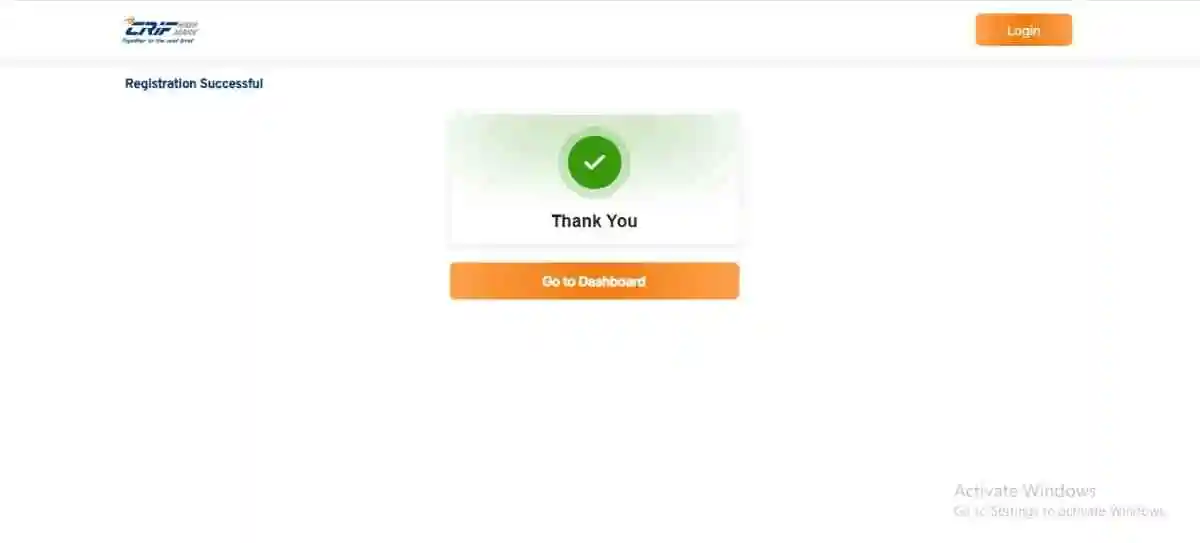
Click "Go to Dashboard" to move ahead.
Step 5: Access Your Dashboard and Request the Report
Once you're logged in, the system pulls up your credit data using the details you provided, your PAN especially. Your credit score, along with some basic details, shows up right there on the dashboard.
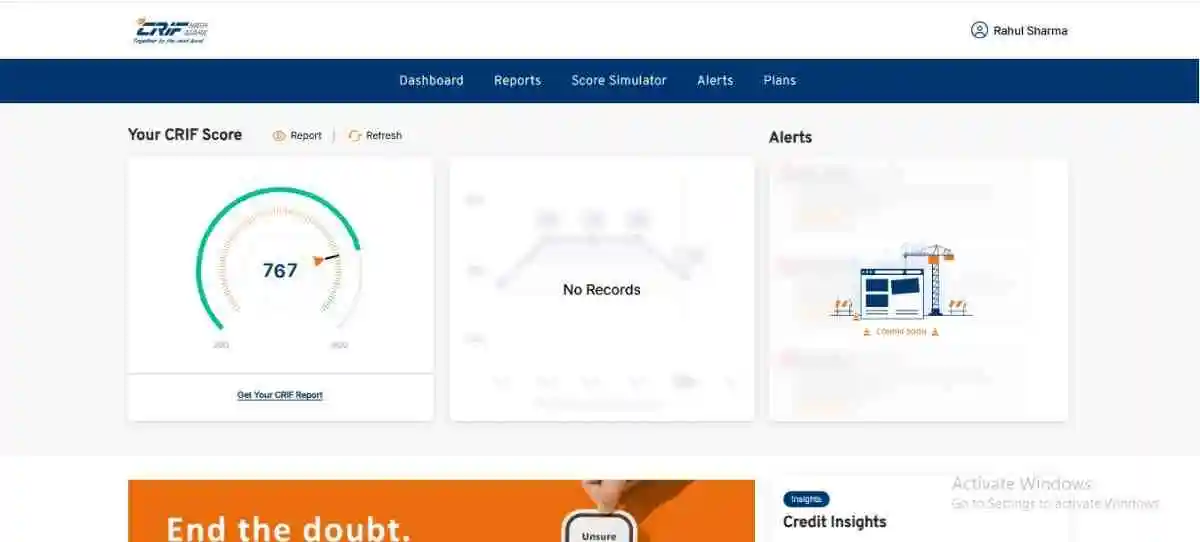
To get the full report, click "Get Your CRIF Report." This kicks off the report generation process.
Step 6: Downloading Your CRIF Report (PDF)
Once you've requested it, the platform puts together your detailed credit report, covering your credit score summary, loan and credit account details, secured and unsecured credit exposure, enquiries made by lenders, and your historical credit activity.
After it's generated, the report becomes available to download as a PDF, save it somewhere safe, since you'll likely need it for future financial applications too.
Step 7: The Password That Opens Your CRIF Report
For added protection, the downloaded PDF is password-locked. This keeps your financial data secure even after it's sitting on your device.
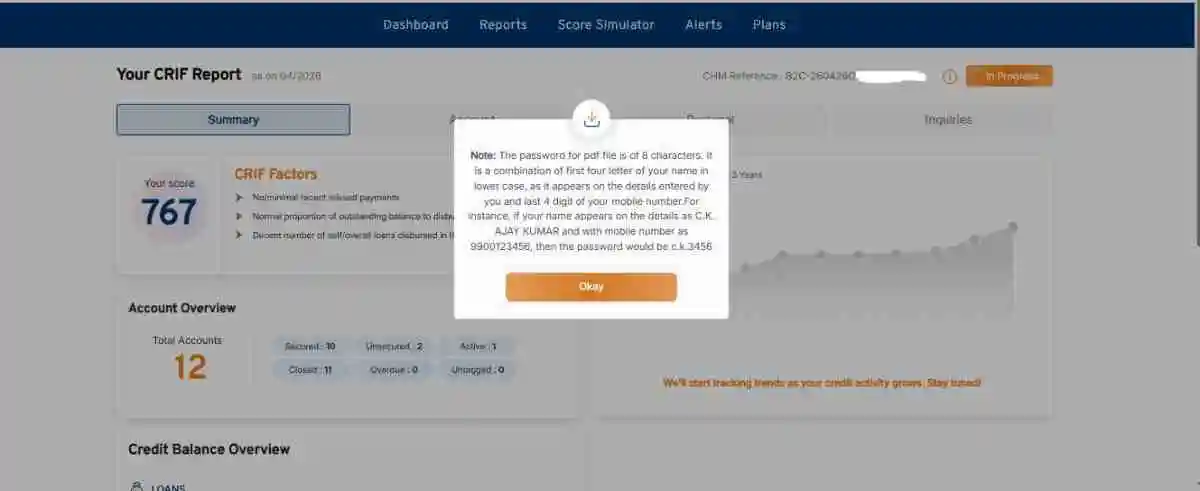
Password format:
- The first 4 letters of your name, in lowercase
- The last 4 digits of your registered mobile number
This fixed format means only you can open the report, while still keeping it simple enough to actually remember, it's still worth jotting it down somewhere the first time, just in case.
Once You've Got the Report, Actually Read It
Downloading the PDF is really just step one. The report itself has quite a few sections you won't find on CIBIL or Experian, things like Personal Info Variations and a detailed Account Information breakdown for every loan. If you want to know exactly what each section and code means, we've covered it fully here: How to Read Your CRIF Highmark Credit Report.
A Few Things Worth Keeping In Mind
Make sure your PAN and personal details are entered correctly, since mismatches here cause real delays. Use a mobile number and email you actually have active access to, since OTP verification depends on it. Download the report right away, or at least keep your access details saved somewhere safe for later, and remember that the report reflects the latest data the bureau has on file at the time you generate it, not necessarily what it looked like a month ago.
Final Thoughts
The CRIF report download process is built to be straightforward without cutting corners on verification or data security. From registration and OTP checks through to report generation and the password-protected download, every step exists to make sure your credit information reaches you accurately and safely.
Once you've been through this process once, checking your CRIF report becomes a quick, five-minute task, and one more way to stay genuinely on top of your financial profile.
Frequently Asked Questions
What happens if I enter my PAN incorrectly during registration?
It can cause real delays, since PAN is essentially the primary key the bureau uses to locate your actual financial records. If the system can't match what you entered to your credit file, you may not get a report at all, or you'll need to go back and correct it before trying again. It's worth double-checking this field specifically before you submit.
Why does CRIF need OTP access to both my mobile and email?
It's purely an identity check, confirming that the contact details you registered with genuinely belong to you, and that nobody else can get into your account without that same OTP. This is standard practice across all four bureaus, not something unique to CRIF.
I forgot the password to my downloaded CRIF report, how do I get back in?
You don't need to reset anything, since the password follows a fixed, predictable format: the first four letters of your name in lowercase, followed by the last four digits of your registered mobile number. As long as you remember those two details, you can reconstruct it yourself.
Does the report generate instantly, or is there a wait involved?
It's quick, once you click "Get Your CRIF Report," the platform pulls together your credit score summary, account details, and enquiry history in a matter of moments, and the PDF becomes available to download right after.
How is a CRIF report actually different from my CIBIL or Experian report?
The core information overlaps, but CRIF includes a few sections you won't find laid out the same way elsewhere, particularly the Personal Info Variations section and a more detailed account-by-account breakdown. We've covered exactly what each of those sections means in our guide on reading your CRIF Highmark report.
Can I download my CRIF report as many times as I want, or is it limited?
Like the other three bureaus, CRIF's free report is meant for an annual pull rather than unlimited downloads. If you need to check more frequently, say, right before a loan application, it's worth confirming what CRIF currently allows on their platform, since free-access policies can shift over time.